
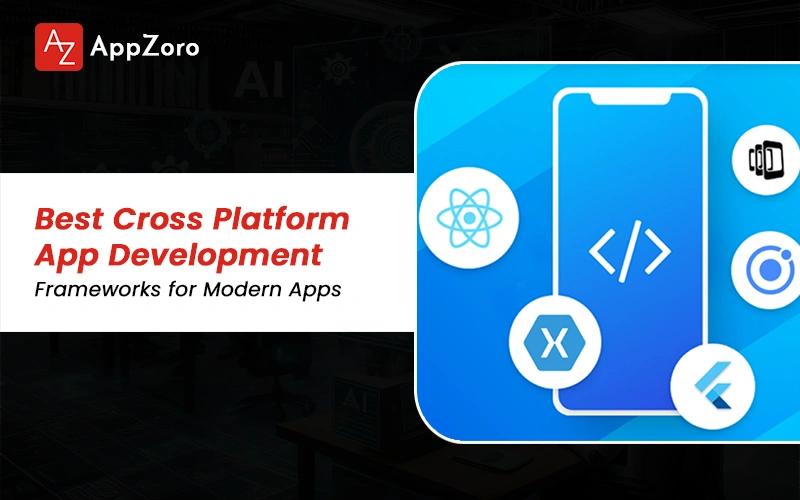
Quick Answer: The top cross platform app development frameworks in 2026 are Flutter, React Native, Kotlin Multiplatform, .NET MAUI, Ionic + Capacitor, Electron, Tauri and Qt across mobile and desktop. For mobile, Flutter and React Native are leading with combined ~70% professional adoption. For desktop, Electron is dominant (VS Code, Slack, Discord) however Tauri is the fastest-growing alternative due to smaller binary sizes. The best framework choice is depending on team talent, target platforms, performance requirements and existing codebase.
Picking a framework for a new cross-platform build can be stressful, dealing with conflicting benchmarks, framework holy wars, deprecated tooling like Xamarin and emerging options like Tauri giving founders genuine decision fatigue. Stack Overflow Developer Survey 2025 is now showing cross-platform outranking native in new mobile project starts among professional developers globally. The framework you are picking is locking in years of decisions on hiring, performance and roadmap. This guide is walking through the 8 cross platform app development frameworks that actually matter in 2026 with adoption data, real apps shipped and the selection criteria that determine which framework is right.
What Are Cross Platform App Development Frameworks?
So, what are cross platform app development frameworks actually doing under the hood? Well, they are software toolkits that are letting developers write a single codebase and ship the app to multiple operating systems, most commonly iOS android, Windows, macOS and Linux from one project repository.
There is a real distinction between cross platform mobile app development frameworks like Flutter, React Native, KMP, MAUI and Ionic and the desktop-focused frameworks like Electron, Tauri and Qt. Some of the modern cross platform app development frameworks are spanning both worlds. Flutter, MAUI and KMP via Compose Multiplatform are increasingly serving mobile plus desktop from one codebase today.
The framework you are choosing is determining the language, the rendering approach, the performance ceiling and the hiring pool, which are four decisions that are compounding over the entire product lifetime.
The 2026 Cross-Platform Framework Landscape
The cross-platform landscape has consolidated significantly since 2022 and the cross platform app development frameworks decision today is materially different from the same decision a few years ago. Five significant shifts are shaping current framework choice.
Xamarin Sunset, .NET MAUI Replacement (2024 Completed): Microsoft ended Xamarin support in May 2024, with MAUI being the official successor. Existing Xamarin apps are now migration projects, not greenfield builds being scoped.
Tauri Emerged As Electron Alternative: Released stable in 2022, Tauri is the fastest-growing desktop framework in 2025, with Rust-based architecture delivering 10 to 20x smaller binaries and lower memory use.
Compose Multiplatform Brings Kotlin To Desktop: JetBrains' Compose Multiplatform (stable as of 2024) is letting Kotlin code target iOS android, desktop and web from one codebase, expanding KMP's territory.
React Native New Architecture Stabilized: The Fabric renderer and TurboModules became default in React Native 0.74+, addressing the long-standing bridge performance critique that hurt the framework for years.
Flutter Moved Beyond Mobile-First Framing: Google is now positioning Flutter as multi-platform across mobile, web, desktop and embedded, rather than as a mobile-primarily framework.
The framework decision in 2026 is materially different from the same decision in 2022, so guides published before these shifts are now genuinely outdated.

The 8 Best Cross-Platform App Development Frameworks
The 8 best cross-platform mobile app development frameworks and the broader top cross platform app development frameworks for desktop are all worth understanding before any selection is being locked in. Let's walk through each one with language, platform support, real apps, strengths and weaknesses.
1. Flutter (Google)
Language is Dart. Platforms supported include iOS android, web, desktop (macOS, Windows, Linux) and embedded systems. Real apps shipped on Flutter include Google Pay, Alibaba, BMW, eBay Motors and Reflectly. Strengths include pixel-perfect UI control, smooth animations and expanding multi-platform reach. Weaknesses include a smaller talent pool than React Native, Dart being less familiar to most developers and larger binary sizes than native builds.
2. React Native (Meta)
Language is JavaScript or TypeScript. Platforms include iOS android, plus Windows and macOS via the Microsoft forks. Real apps include the Meta apps (Facebook, Instagram, WhatsApp messaging), Shopify, Walmart, Microsoft Office, Discord, Pinterest and Coinbase. Strengths include the largest mobile talent pool in market, a mature ecosystem and the new architecture (Fabric, TurboModules) closing the performance gap. Weaknesses include a heavier upgrade burden and native module integration friction at real scale.
3. Kotlin Multiplatform / Compose Multiplatform (JetBrains)
Language is Kotlin. Platforms include iOS android, desktop and web with Compose Multiplatform stable as of 2024. Real apps include Cash App from Square, McDonald's, Philips and selected Netflix screens. Strengths include native UI quality being preserved on each platform, gradual adoption being possible and growing enterprise momentum. Weaknesses include less code sharing overall (typically 30 to 60%) and the requirement for native expertise per platform.
4. .NET MAUI (Microsoft)
Language is C#. Platforms include iOS android, Windows and macOS. Real apps include Microsoft internal tools and enterprise C# shops. Strengths include leveraging existing C# talent, strong Microsoft stack integration and a single-codebase desktop plus mobile story. Weaknesses include a smaller third-party ecosystem versus Flutter or React Native and a slower release cadence overall.
5. Ionic + Capacitor
Language is standard web tech including HTML, CSS and JavaScript with Angular, React or Vue. Platforms include iOS android, web, plus desktop via Electron pairing. Real apps include Untappd and various enterprise mobile apps. Strengths include letting web developers ship mobile and the fastest learning curve in the space. Weaknesses include the WebView performance ceiling for complex UI work.
6. Electron (OpenJS Foundation)
Language is web tech (HTML, CSS, JavaScript). Platforms include Windows, macOS and Linux desktop. Real apps include Visual Studio Code, Slack, Discord, Notion, Figma desktop, Postman and GitHub Desktop. Strengths include a massive ecosystem, the fastest desktop development from a web stack and the largest production track record in desktop cross-platform. Weaknesses include high RAM use and large bundle sizes often exceeding 200MB.
7. Tauri
Language is web frontend combined with a Rust backend. Platforms include Windows, macOS, Linux, plus mobile (iOS and Android stable as of 2024). Real apps include an increasing number of new desktop apps where binary size and resource use matter. Strengths include 10 to 20x smaller binaries than Electron, lower RAM usage and the Rust security model. Weaknesses include a smaller ecosystem, less battle-tested production usage and the team needing Rust capability for advanced backend work.
8. Qt
Language is C++ with QML for declarative UI, plus Python via PyQt. Platforms include Windows, macOS, Linux, mobile and embedded systems. Real apps include KDE, Autodesk Maya, Mathematica, Tesla in-vehicle UI and various medical and automotive embedded systems. Strengths include maturity (30+ years), a strong embedded and industrial track record and native performance. Weaknesses include the licensing model (LGPL versus commercial), a steep C++ learning curve and a smaller modern app community.
The Most Used Cross-Platform Mobile App Development Framework - What the Data Says
Searches for the most used cross platform mobile app development framework genuinely deserve a data-backed answer rather than vendor opinion. Below are the 2025 adoption metrics across the major industry surveys being tracked today.
Framework | Stack Overflow 2025 Pro Devs | npm/GitHub Activity | Job Market Demand |
React Native | ~13% | Highest (npm downloads, GitHub stars) | Highest mobile cross-platform |
Flutter | ~9% | Very high (GitHub stars, pub.dev packages) | Second-highest |
.NET MAUI / Xamarin | ~5% (declining MAUI uptake) | Moderate | Enterprise-concentrated |
Kotlin Multiplatform | ~3% | Growing rapidly | Enterprise-focused |
Ionic | ~6% | Stable, mature | Mid-market |
These figures are sourced from Stack Overflow Developer Survey 2025, GitHub Octoverse and npm download statistics. Always verify the current numbers before citing them inside any commercial decision material.
React Native is remaining the most used cross platform mobile app development framework by raw professional adoption, while Flutter is showing the steepest growth curve and is closing the gap fast. Both are leading by significant margin over Kotlin Multiplatform, .NET MAUI and Ionic across global developer survey data.
Cross Platform Desktop App Development Frameworks
The cross platform desktop app development frameworks decision is genuinely different from the mobile framework decision, because the technology choices and the constraints are very different on desktop. The leading cross platform desktop app development frameworks are covered below.
Electron - The Default For Web-Tech Desktop Builds: Used by Visual Studio Code, Slack, Discord, Notion, Figma and Postman. Web developers are shipping native-style desktop apps the fastest with Electron. Tradeoff is the 200MB+ bundle and high RAM consumption per window.
Tauri - The Rising Lightweight Alternative: Rust backend with web frontend. 10 to 20x smaller binaries than Electron with significantly lower memory usage. Increasingly chosen for new desktop builds where resource efficiency is actually mattering to the user.
Flutter Desktop - Single Codebase Across Mobile + Desktop: Flutter's desktop targets (Windows, macOS, Linux) are now stable. Best fit when an existing Flutter mobile codebase is being extended to desktop without a rewrite.
.NET MAUI Desktop - For Microsoft-Stack Teams: C# code targeting Windows and macOS. Suits teams that are already operating on the .NET stack with existing C# talent.
Compose Multiplatform - Kotlin On Desktop: JetBrains' framework is extending Kotlin from mobile to desktop. Stable as of 2024 and growing rapidly across enterprise deployments.
Qt - Long-Standing Choice For Performance-Critical Desktop: C++ with QML, chosen for industrial, medical and embedded applications where native performance and product longevity matter.
The cross platform desktop app development frameworks decision is splitting cleanly across three paths. Web-tech teams are defaulting to Electron or Tauri, mobile-codebase teams are extending Flutter or KMP to desktop and performance-critical or embedded use cases are picking Qt as the long-standing winner.
Which Framework Is Best for Cross Platform App Development? - How to Choose
So, which framework is best for cross platform app development across the typical project? Well, there is genuinely no universal best framework for cross platform app development. The right answer is depending on your team, your platforms and the profile of the app being built. The six criteria below are converging most decisions quickly.
Target Platforms: Mobile only points to Flutter or React Native. Desktop only points to Electron or Tauri. Mobile plus desktop points to Flutter, KMP or MAUI. Embedded points to Qt or Flutter.
Team Talent And Hiring Pool: JavaScript talent points to React Native or Electron. Web developers point to Ionic, Electron or Tauri. Kotlin or native talent points to Kotlin Multiplatform. C# points to .NET MAUI. C++ points to Qt.
Performance Requirements: Pixel-perfect 120Hz animation points to Flutter. Native-component feel points to React Native. Native UI required points to KMP. Embedded performance points to Qt.
App Complexity: Standard CRUD apps point to Ionic, Capacitor or Tauri. Mid-complexity consumer apps point to Flutter or React Native. Enterprise with deep integrations points to KMP or MAUI.
Ecosystem And Library Availability: React Native and Flutter have the deepest mobile ecosystems. Electron has the deepest desktop ecosystem in market.
Long-Term Maintenance Profile: All eight frameworks are actively maintained in 2026. Tauri and Compose Multiplatform are the newest but are now stable.
Most teams should default to React Native or Flutter for mobile, Electron or Tauri for desktop and only diverge when one of the criteria above is clearly pointing elsewhere.
Conclusion
The 8 cross platform app development frameworks that matter in 2026 are splitting cleanly between mobile-dominant (Flutter, React Native, Kotlin Multiplatform, .NET MAUI, Ionic) and desktop-dominant (Electron, Tauri, Qt), with dual-targeting options including Flutter, MAUI and KMP via Compose Multiplatform. React Native and Flutter are leading mobile adoption while Electron is leading desktop. The selection is coming down to platform mix, team talent, performance needs and ecosystem depth across every project. Teams scoping a new build should validate the framework choice against the 6-criterion checklist before committing to a multi-year code base.
Leave a Comment