
Over the past few decades, the education sector has evolved, including learning flipped classrooms and mixed learning, which have gained immense popularity. The blackboard will always remain a leading part of classroom education, but in modern days, learning has moved beyond closed spaces. The students are looking for deep knowledge and practical experiences. Some solutions that have gained immense popularity are activity-based, project-learning, and exploratory. The students and teachers are looking for new and innovative experiences in classrooms. It is not about learning anymore. Different varieties are available in the current education system, including administration and training, which have gained digital support.
So, investing in digital solutions that ensure swift operations, managed flow, and holistic learning becomes crucial. The market size of education technology is worth $74.2 billion, and by 2031, it will reach $288.4 billion. It becomes necessary to invest in education app development. In this guide, we discover how to develop mobile apps for schools and all the steps that help you release quality and innovative solutions that will bridge the gap between the industry.
What is a School App?
Developing a school app means creating a mobile app for school activities. The school app development is structured to help students and other people bridge the gap of innovative learning. A school application is mobile software meant to enable individuals with remote learning. For instance, they range from apps that teach students about fundamentals to apps that serve as complex professional training portals for adults.
Reasons Why You Need Mobile App for School
Communication between teachers and parents is one of institutions' most demanding challenges. Due to this, schools decided to build an educational app that assists them in building trustworthy communication between parents, schools, and students. Here, we discuss some of the leading reasons to build school applications.
1. Fees Collection
Establish the connection between the school mobile app and the online payment gateway. It enables them to collect fees quickly because parents are not required to go to the school and bank for fee submission. They will easily submit it within a few clicks. The charges and payments are collected with application help, and extracurricular activities like picnic charges are managed through the mobile app.
2. Boost Teacher's and Parents' Engagement
The mobile app development for schools helps parents and teachers communicate transparently about their kids. Earlier, the teachers relied on students to transfer information to the parents, and direct conversation became limited to parent-teacher meetings. But now, the parents can observe situations, check grades, and discuss any concerns with teachers to brainstorm solutions. This is one of the most significant benefits of mobile app development for schools.
3. Cost-Effective Solutions
The school's mobile application makes connecting with school stakeholders and the community. Mobile apps enable schools to achieve the goal of becoming paperless organizations, which will eventually lead to less consumption of paper and save money for schools. Distribution of circulars and other work is done virtually with the school mobile app, which is affordable and economical.
4. Keep Everyone Updated with the Latest Information
The conventional approach of circulating information through newsletters and notice boards must be updated. However, the mobile application allows schools to contact community members to relay information. It is especially vital for time-sensitive like cancellation of classes and urgent meetings being held.
5. Real-Time Push Notifications
The schools will update real-time data notifications to parents regarding their kids' performance. Schools' mobile applications are used to offer notifications about the attendance and marks of the students. With this approach, the parents stay informed about what's happening in the school and how kids are doing.
Features of School Mobile Application
Below, we have mentioned some of the must-have mobile application features in your school app:
1. Search Filters
Any e-learning portal is a course catalog. While considering providing varied courses, the users will require a search bar to browse the available courses. The different tools are:
- Categories
- Sort options with categories like suggested, famous courses, and recommendations.
- Search where they can search keywords.
- Filters (level, language prices, etc.)
2. Payment Options
The mobile app development for schools is based on paid courses students should pay for, and teachers can quickly gather their earnings. Remember that it's worthwhile to take some time to secure payment gateways since you don't want users to feel unsafe using your portal.
3. Registration and Profile Management
Initially, all the users, students, and teachers had to register by building an account or signing in via social network accounts like Facebook and Google. As for profile management, the features must depend on the student or teacher profile. A student account will show the following things:
- Catalog courses
- Purchase history
- Setting page
- User information and profile pic
- Information about certifications
- Purchase history
The teachers will have:
- Reports & statistics
- Information page
- List of added courses
- Accolades and degrees selection
4. Course Page
Various courses include resources like videos, PDFs, manuals, chats, podcasts, PDFs, and other manual activities. Other portals include components of gamification that enable students to communicate effectively. Specific courses will have:
- Exercise Files
- Course description
- Completion certificates which are produced automatically or manually by administrations.
- Topics and materials list
- Creators information
- Reviews and ratings section
5. Admin Panel
An admin panel enables administrations to streamline website content and users, edit or remove courses, produce and review statistical reports, and control alerts and email newsletters.
How to Develop A School Application?
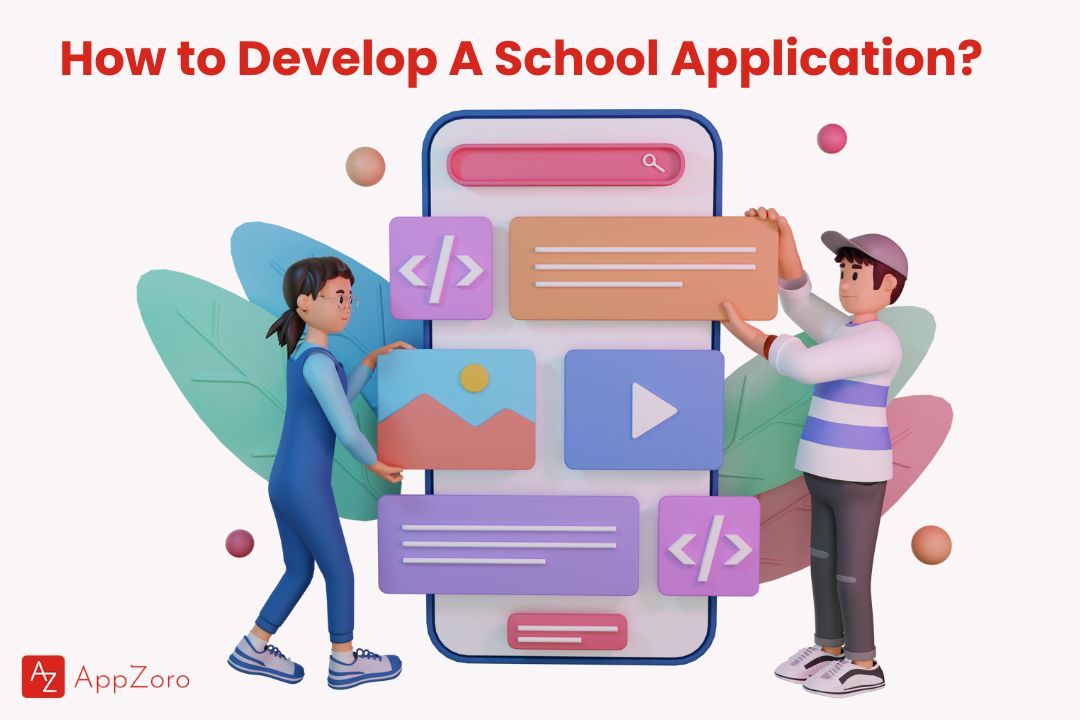
The app development for schools procedure can be tricky as it includes multiple stages to build an educational app that is effective, engaging, and user-friendly. Below, we describe the key steps included in education app development:
1. Ideation
It is the very first to include developing ideas for educational app development. For creating any application, conducting profound research about various factors like the target audience, identifying their needs and pain points, and brainstorming ideas on how the application will address their needs is better.
2. Research
After getting ideas about the app, it's time to research the market conditions and competition. It allows you to understand the current scenario of education app development, search for the gaps in the market, and modify your app concept.
3. Design
The designing stage is essential for developing a user-friendly and engaging educational app. The developer will design your application's user interface (UI), User experience (UX), and visual components. It includes wireframing, prototyping, and creating different style guides.
4. Development
It's time to create a school application when the design is completed. Usually, the step includes programming and coding and connecting features like gamification, social learning, and evaluation tools.
5. Testing
School app development includes the crucial step of testing an application. When the mobile app for schools is finally developed, it must be tested thoroughly, ensuring it's bug-free and functions as intended. It includes beta testing, quality assurance testing, and user testing.
6. Deployment
When your educational app is evaluated and approved, it's time to deploy it for the app store or online marketplace. This stage includes the development of an app store listing, optimizing the app for search engines, and creating a marketing strategy to promote the app. Building an educational application is a time-consuming and demanding process, but with wise planning and execution, it is rewarding to transform how we learn.
Is Creating A School Mobile App is Worth It?
Developing a school application needs an initial investment of time and resources, but its long-term benefits can be vital for businesses in the educational industry. An application will provide an enhanced market reach, improved customer engagement, streamlined operations, extra revenue streams, and competitive advantage. Furthermore, with the development of mobile devices, school apps have become highly popular and essential for businesses to stay ahead of the competition. Mobile app development is worth it in the long run.
So, before the development of a school application, the business needs to conduct market research and ensure that there is vast demand for its products.
Conclusion
In today's technologically data-driven world, every sector, including education, remains unaffected. The school mobile app will revolutionize how students, parents, and teachers communicate. To stay one step ahead of the competition, you must consider developing a mobile app for your school. We at AppZoro Technologies are there to help you at every step. We are the leading mobile app development company in Atlanta, GA. We have 8+ years of experience in developing mobile apps.
FAQs
What are the critical trends while developing education apps in 2024?
The education application includes various trends like integrating Augmented and virtual reality, AI, gamification, video streaming, and social functionality.
How to build an education app for Android or iOS?
To build an education application for Android or iOS, you will simplify the process by hiring the best mobile app development team. The best development team will help you to build an app for school.
How much does the education app development cost?
The factors that sum up the education app development cost will vary, ultimately depending on the needs. Even a minute change can increase or decrease the cost. The exact price is depends on the specifications. For free consultation, you can contact us.
Also Read: Mobile Application Testing: Step-by-Step Guide for Beginners
Leave a Comment