

Everyone knows there are different ways to create mobile applications. If I am not wrong, Native apps, web apps, and hybrid mobile applications are different in many ways. Yeah I know I am not wrong okay? So it’s obvious, that we need to follow a different approach and different tools for testing these applications.
In this article, we will discuss what is the differences between these apps and what would be the testing strategy for them. Just sit relax and read the details very carefully.

Before learning about app testing you need to know the basic definition and the difference between native apps, web applications, and hybrid apps.
Here we go!
Know About Native vs. Web vs. Hybrid Mobile Apps
I am defining here each of these types of apps to clarify what is the basic difference they have
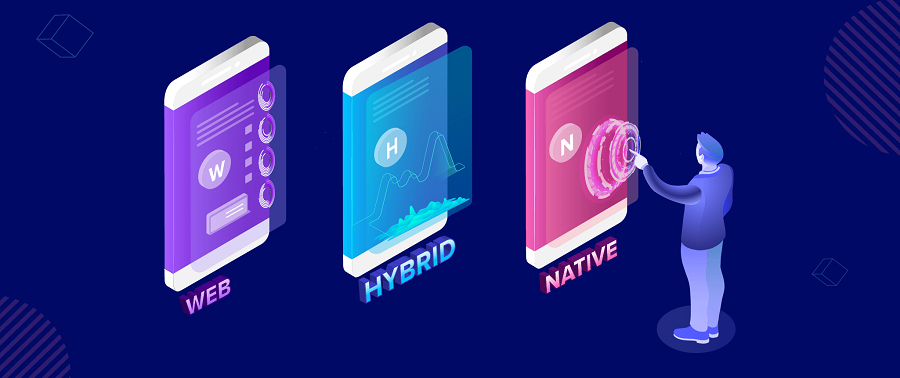
Native mobile applications are basically smartphones apps designed for a particular OS. The Operating System maybe Android or iOS. These applications are written in either Java programming language (for Android) or Swift or Objective-C programming language (for iOS). Native apps are built using an Operating System’s SDKs (Software Development Kit) and have access to different resources on a device like a device location, GPS, camera, device storage, etc. Generally, these apps are installed on a Smartphone device.
Web mobile apps are websites optimized for mobile device browsers. The functionality of these apps resides completely on a server. The web applications are written in HTML5 and JavaScript programming languages.
Hybrid mobile apps have combined features of native and web apps. These apps are written in JavaScript and HTML5 like web applications. Hybrid apps are web pages wrapped in a mobile app using WebView but still, they also have access to the built-in capabilities of a device like native apps. These are built using cross-platform frameworks like React, Sencha, Ionic, and Xamarin.
Due to these differences between mobile and web applications, the testing approach should also be different.
Well, now we are able to proceed with the app testing procedure!
Web Apps Testing
Why do we need to test web applications?
If web applications are almost like websites and have already been tested for standard browsers, why do they require to be tested individually on mobile devices? The main cause is that there are major differences between normal computers and mobile devices.
Let’s check out these differences before we move further
- Mobile device screens are considerably smaller than computer screens.
- Mobile devices have a lesser amount of memory and storage space.
- Mobile devices use cellular network connection and Wi-Fi, while normal computers use Wi-Fi or Ethernet connection.
- Mobile devices have restricted battery life. These are supposed to be used unplugged most of the time.
- The amount mobile device users forfeit for cellular internet data depends on the quantity of data used.
What to test in web apps?
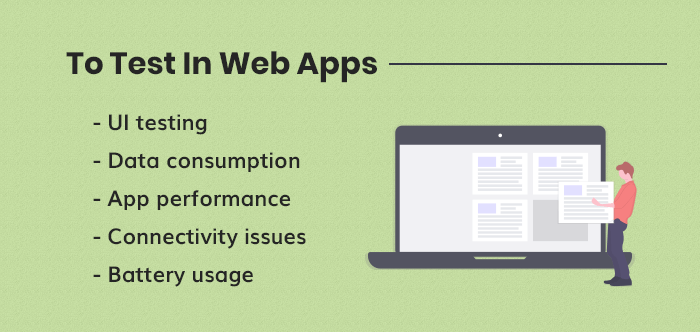
If we consider all the above differences for web app testing then we should include the following:
UI testing: In this test, we need to verify that all UI elements are completely visible and finely aligned for mobile device screens. We should run this examination for different screen sizes and possible resolutions. Total of cellular data used by the application: Web apps rely a lot on transferring data from a server. Suppose the amount of data is extreme, it might exhaust the user’s data plan and make the app unusable or crash it.
App performance testing: The quantity of memory and storage space might differ not only among mobile devices and ordinary computers but also between different mobile devices. The fact is that mobile devices use cellular data connection might cause important differences in performance.
Connectivity issues: We should also test an app’s behavior when switching between Wi-Fi and cellular connection. Extensive use of ad networks may cause bottleneck conditions.
**Battery usage: **Remember, extensive use of JavaScript might cause rapid battery consumption.
Native and Hybrid Apps Testing
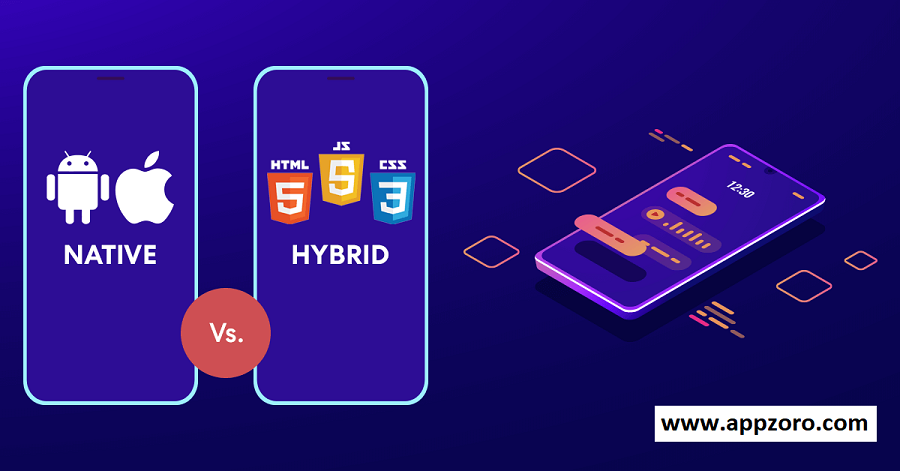
When we start testing for native and hybrid apps we have the same question as prior to what we need to test. Let’s start searching for the answers to it.
What to test in native and hybrid apps?
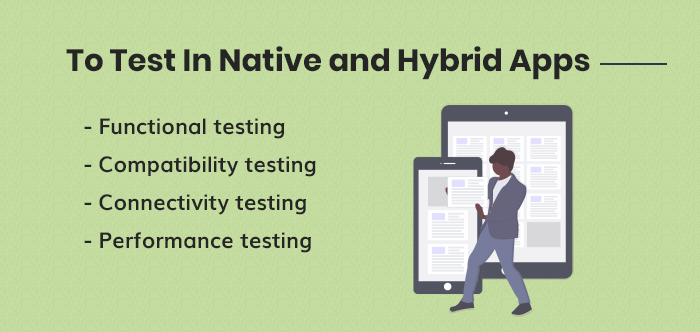
Native and hybrid apps apply different core technologies, but both are related in terms of the functionality they provide—thus, the testing approach we follow will be the same for both types of applications.
Functional testing:
In this, we will test whether the entire app’s features work as expected or not. These tests include:
- Testing about the apps utilizes built-in device resources like location, camera, address book, etc.
- Monitor battery expenditure and memory usage while performing practical tests
- Testing of the app’s behavior it faces any interruptions like a phone call, SMS and messages push notifications, etc.
- Install and uninstall testing
- Testing of Screen orientation
- Gesture testing
Compatibility testing A compatibility test is important. We need to test the app’s functionality on different devices for better results from the app. Connectivity testing:
We can test with different types of connection Switch between different connection types Test without network connection (if the app is designed to work offline although it’s very little chance for it) Performance testing
Testing tools for apps
When we talk about app testing tools, there are plenty of tools available for mobile testing. Every tool uses different technologies to create and run tests. The variety of supported features is incredible. The tools support different operating systems, different types of apps, real devices, simulators, and emulators.
Some of them are open source (free for use) while some of them are commercial (Usage limit or paid). Some tools run on a cloud while others run locally. So let’s know here about some of them which are more popular and well known in the market.
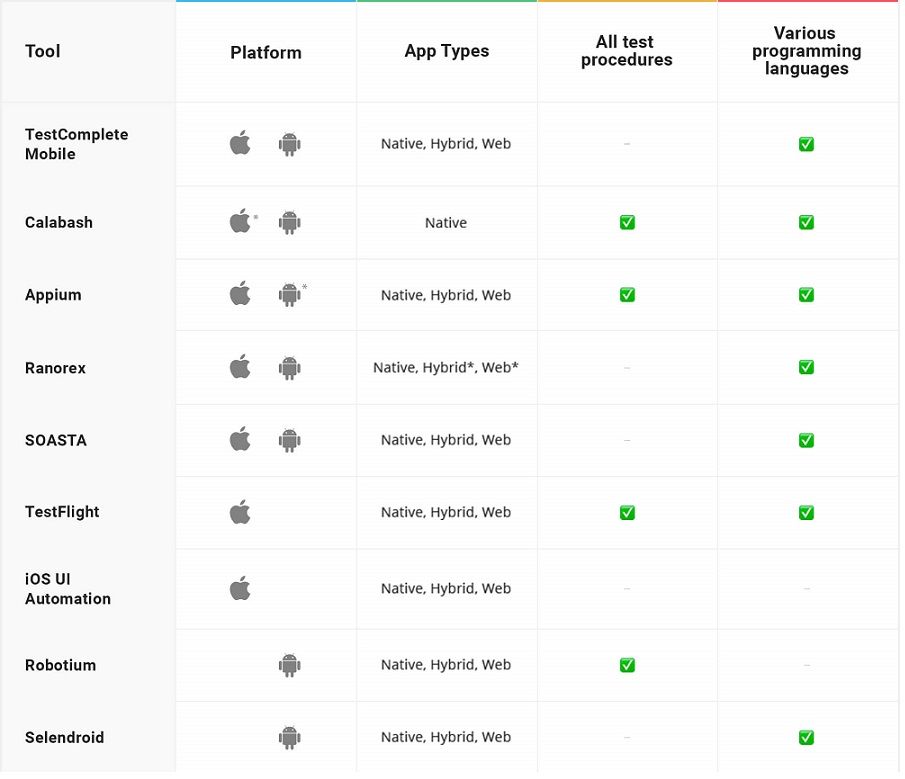
This list is just a synopsis of some existing app testing frameworks and their abilities to use the web and native apps.
How to Choose the Right Type of App for your Business?
The type of application will depend on the business case and target user base of the app. Other elements like cost and ease of development may also be important to you. Here are some key pros and cons of each type of app that helps mobile app development company choose the best one for your business:
1. Native App Native apps are built for particular devices in programming language connected to the platform on which they are hosted. For example, an iOS app will never be available on Google Play Store and not work on other Android devices.
Pros
- Good user experience, support challenging functionality and linked with IoT devices and better security.
Cons
- High development, slow deployment and maintenance cost need skills to build, which is not supported on desktop and users need to update for recent features.
2. Hybrid App Development Hybrid development is creating an app hybrid that can run on multiple platforms. You can target iOS and Android platforms with one application, maximizing your reach. Mobile development for multiple platforms is growing. Cross-platform solutions enable developers to create apps that work across multiple operating systems. These frameworks provide tools that help developers reuse code and increase productivity. This way, you can save money when developing the app, making changes, fixing bugs, or running tests.
Pros
- It becomes easier to build native apps, but it offers some advantages, which are accessible both from desktop and mobile phones.
Cons
- It requires high maintenance costs and has slow deployment.
3. Progressive Web Apps (PWAs) PWAs are web apps designed to work on any standards-compliant web browsers on multiple devices like mobile and desktop. It is written in multiple languages like CSS, HTML and JavaScript. Moreover, it performs like native mobile apps, which use an app shell that enables app-style gestures and navigation.
Pros
- No downloads needed, easy in development and quickly accessible through desktop and mobile phones.
Cons
- No findable via the App Store, gaming support, push notifications and background synchronization.
Final Words:
We have learned here that the testing of mobile web apps is unlike testing web browsers and testing native and hybrid mobile applications. We require a different approach from browsers due to differences between computers and mobile devices. And also need a different approach from native and hybrid apps because of how they are built. If we create automated tests for web mobile apps then it requires a different set of tools.

We hope you found this article useful for your mobile app testing work. We are AppZoro Technologies – a mobile app development firm in Atlanta. We create the best quality web apps and native/hybrid apps. If you need any help regarding your development and design or need a company that creates a website or mobile application for your business need just visit our website www.appzoro.com or email our team at info@appzoro.com. You can also connect with us via social networks and ask your queries; we would like to help you.
Connect with Appzoro at Facebook
Connect with AppZoro at Twitter
Connect with AppZoro at LinkedIn
Connect with AppZoro at Pinterest
Connect with AppZoro at Instagram
Connect with AppZoro at YouTube
For more such articles please stay tuned!!
Leave a Comment