

Writing code is a challenging task, but it can become easier with the support of the right team and tools. Therefore, developers need version control and coding help to become elite programmers. Team management is crucial while working on code collectively and making changes continuously. Whether you are availing of the service of team members or individuals, it will help you elevate the work in the world of programming.
GitHub brings teams and coding professionals onto one platform where they can exchange ideas and methods and create something unique. But in this blog, we discover what is GitHub, how GitHub works, and what is GitHub used for.
What is GitHub?
GitHub has one of the vast communities of developers. It is an intricate platform that enhances collaboration and communication among the developers. It offers numerous useful features that allow development teams to work together on the same project and easily create new software versions without changing current versions. But it is not an end.
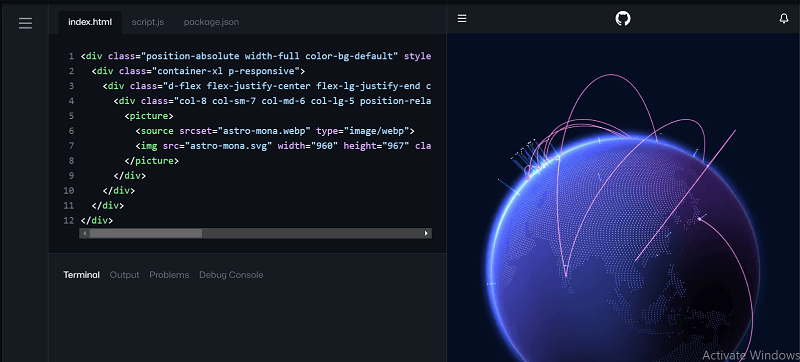 After making changes to the program, it can easily be included in existing programs. Also, GitHub makes it straightforward to work together, even on small changes. GitHub enables developers to collaborate on projects from anywhere in the world.
What is Git?
Git is not similar to GitHub. Both these terms are different, and many people need clarification with it. However, Git is an open-source version control system allowing developers to streamline software project code changes. The version is crucial as developers work on projects. Furthermore, it is the system used in managing the alterations in documents, websites, and other computer programs.
In 2005, Git was launched and revolutionized version control. However, GitHub provides us with a staging portal that allows the developers to build and share prototypes, edit, collaborate on projects, and also access stakeholders to see the work in progress work.
What is Version Control?
One of the leading reasons for this project's popularity is its distributed version control system. Updating with progress becomes confusing when multiple users work on similar source codes and documents. It gives users authority to access specific documents, track and analyze the changes, and check who made them and when. Also, you can restore the older version of the copy.
Similarly, the version control system on this portal provides all users with transparent work history and a unified view of the project. All users collectively can track the progress and make actual-time alterations. Therefore, a version control system enables users to streamline and track the changes in source code; that's why it is called source control.
What are the Features of GitHub?
After understanding what it is, GitHub now discovers some of its features that make the work easier for you.
1. Easy File Management
GitHub provides simple and easy file management that stores individual versions of files transparently. Due to this, all files are stored in repositories and accessible by each employee at all times.
2. Easy Code Hosting
This project provides free and easy code hosting for JavaScript, CSS projects, and HTML by allowing you to build a static website. Additionally, you can create a new repository and customize the domain name.
3. Increased Safety with Packages
The packages can be published privately by the team members or publicly to the open-source community. The packages are used or reused by downloading from GitHub.
4. Improved Code Writing
Pull requests enable the companies to develop, review and create new code. For changing source code, the team members can discuss within the group about implementation and proposal.
5. Enhanced Collaboration
The version control system in GitHub provides an enhanced collaboration feature that allows peer code review as users can track and manage changes made in specific files.
6. Private Repositories
These features in GitHub allow users to work independently on a project without any intervention. Users can easily save their work on GitHub in a private repository and share a link to present their work. A remote repository on GitHub acts as a portfolio and helps in building a personal profile.
What is GitHub Used For?
GitHub allows users to save their work and network with like-minded developers. The system's purpose is to facilitate communication between people who can view or access each other work and discuss errors and solutions to any problems. However, code that runs from beginning to end without errors is ideal. That's why GitHub attempts to help. It provides an atmosphere that encourages the improvement of code. Also, it offers a system in which the coders can monitor changes in the coding process.
However, sometimes it becomes difficult to grasp the labor involved number of hours required to string together those thousands upon thousands or million lines codes. Even the most straightforward application indeed involves attention to detail. Otherwise, it fails to operate. Sometimes helping hand is needed, and GitHub provides those extra pairs of eyes.
How to get Started with GitHub?
GitHub is a complex task, but comprehending its steps will help you get started quickly. Thus, you will first need to complete some steps to use GitHub.
1. Install GitHub and Sign Up

The first step is downloading Git to your system and creating an account. You will get unlimited public and private repositories with a free account and unlimited access to private and public repositories.
2. Create Repository
You will get access to plenty of GIT repositories and can create a new repository. But before that, you need to create a README file that will store all your new project details. To create a repository, tap on the new repository tab and add a brief description and tick boxes to start the repository.
3. Create Branch
After creating a new repository, you must create a branch to manage different project versions. Even you can create a branch by clicking on the drop-down "branch: main."
4. Commit Changes
The user can make and save changes in the file by opening the new;y created branch and code view. Then, click on the pencil icon to make the required alterations. Tap on the commit changes, and it will save the edits.
Advantages of GitHub
Apart from benefitting from the features, there are some benefits for developers who use this portal.
1. Access GitHub on Multiple Devices
Native GitHub applications make sharing code simple. You can use them to clone repositories, build branches, browse history and commit changes with a friendly interface. The mobile views allow you to keep track of your projects on the go.
2. GitHub Pages
GitHub pages enable you to demonstrate your portfolio of work on websites. The websites are entirely HTML compatible and customized as per your requirements. You can apply for free and paid themes and run the program quickly. Many Code institutes use GitHub pages to present their front-end projects and embed links to source code, allowing others to see what the world looks like and how it is made in one place. It is a fantastic feature.
3. Syntax Highlighted code and Rendered Data
GitHub syntax highlights and supports 200 programming languages.
Conclusion
Here is a complete guide about GitHub, so if you are working on personal projects or part of a team on huge enterprise software, GitHub is a valuable tool. If you are alone, you can store code and present what you have done to others. Also, you can look at other projects to take ideas and even copy them into your tasks that you may likely expand and contribute to.
Many companies use GitHub for collaboration, version control, and project management, which makes learning GitHub essential for modern developers. Mastering it is also a valuable skill when working with or aiming to join a web apps development company, as it strengthens teamwork, code quality, and overall development efficiency.
Also Read: Future of Web Development 2023: Top 10 Technologies
Leave a Comment