
Web App vs Mobile App: The Quick Answer
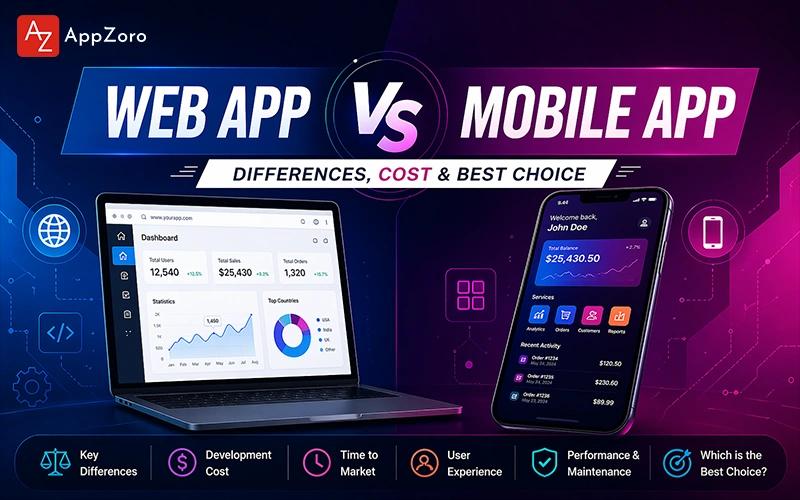
A web app runs inside a browser on any device without installation, while a mobile app is downloaded from the App Store or Play Store and runs natively on a phone. Think of it this way: when you open Gmail inside Chrome on your laptop, that is a web app, and when you tap the Gmail icon on your phone, that is a mobile app pointing to the same underlying service. The mobile app vs web app choice usually comes down to audience, feature needs, and how users actually discover and return to your product over time across everyday use.
Aspect | Web App | Mobile App |
Where it runs | Browser on any device | Installed on iOS or Android |
How users find it | Search engines, links, URLs | App Store, Play Store, ads |
Installation | None, just open a URL | Download, approve permissions |
Offline use | Limited unless PWA | Full offline support possible |
Push notifications | Limited, mostly web push | Full, deep, configurable |
Distribution cost | No store fees | 15-30% store commissions |
Web App vs Mobile App Market Size, Growth, and Adoption for 2026
Let's zoom out for a moment and look at a handful of numbers that frame every web app vs mobile app decision teams are making during planning and budgeting this year. Seeing the numbers first helps teams anchor every later web app vs mobile app argument in real market data rather than relying on anecdotes or last quarter's blog posts.
Global mobile app revenue is projected to exceed nine hundred thirty-five billion dollars in 2026 across consumer and enterprise application categories combined.
Web and SaaS revenue continues to grow at a double-digit pace across B2B markets, which keeps web app vs mobile app development comparisons evenly split inside enterprise programs consistently.
Mobile devices now account for over fifty-five percent of global web traffic which is exactly why mobile web vs app strategy matters even for web-first products today.
Progressive Web Apps have grown steadily since 2020, with retailers reporting conversion improvements of twenty to forty percent after launching a PWA alongside their mobile web.
Average mobile app retention at thirty days runs roughly twenty-five to thirty-five percent across consumer categories, which easily beats mobile web retention across most verticals globally.
App store commissions continue to shape the mobile app vs web economics, because both Apple and Google still charge fifteen to thirty percent on in-app purchases across most categories.
Notice how both sides of the market are clearly healthy and growing, which means the web app vs mobile app choice is less about which platform wins overall and more about which platform wins for your specific business. The takeaway is that market trends alone should not pick the platform for you, because audience behavior, funnel, and retention matter just as much as raw industry growth does. Teams that anchor the mobile app vs web app call in real audience data usually reach a defensible answer faster than teams that rely on industry headlines or competitor copy-paste decisions.
What Is a Web App vs Mobile App: Definitions and Types Explained
Let's build a clear mental model first, because what is a web app vs mobile app becomes much easier to reason about once you have simple definitions to anchor the vocabulary. A shared web app vs mobile app vocabulary saves your team hours of circular debate inside later scoping meetings.
A web app is a software product accessed through a browser using HTML, CSS, and JavaScript, with no installation required by the user on any connected device.
A mobile app is a native application installed from the App Store on iOS or the Play Store on Android, built with Swift, Kotlin, Flutter, or React Native typically.
A progressive web app (PWA) is a web app that behaves like a native app, with offline support, installable shortcuts, and push notifications across most modern browsers.
A hybrid mobile app wraps web views inside a native shell using Ionic, Cordova, or Capacitor, which bridges the web application vs mobile app divide when time to market matters.
A responsive mobile web experience is a regular web app optimized for phone screens, which matters more than most teams admit given that most web traffic now comes from mobile devices.
The mobile app development process, the web vs app differences often confuses new product leaders, because mobile web refers to a website viewed on a phone browser, while mobile app refers to an installed native or hybrid application downloaded from a store. Once you separate those two concepts cleanly, the web application vs mobile app conversation becomes far easier to navigate inside both strategy meetings and scoping discussions with engineering leadership. Every serious web app vs mobile app planning session should start by agreeing on these definitions so that later conversations about cost, retention, and channels do not drift off track inside meetings.
Native Mobile App vs Web App: How to Tell Them Apart Quickly
The native mobile app vs web app distinction trips up many product leaders during their first strategy meeting, so let's draw the boundary cleanly before digging any deeper into tradeoffs. This boundary actually anchors most of the web app vs mobile app planning that follows, so getting it right the first time saves significant rework later.
Native mobile apps are built in Swift or Kotlin and delivered through the App Store or Play Store, which gives full access to device hardware and system APIs consistently.
Web apps run inside a browser and deliver HTML, CSS, and JavaScript over HTTPS, which gives instant distribution and easy updates without any store approval cycles at all.
Mobile app native vs web performance differs sharply across intensive workloads, because native code runs closer to the metal and uses platform-optimized rendering pipelines directly every time.
Discovery channels differ hugely: native mobile apps rely on App Store Optimization and paid install campaigns, while web apps rely on SEO, content marketing, and inbound backlinks.
Update cycles differ sharply: web apps ship new versions every day without user action, while native mobile apps require store review and user-triggered updates on each device.
Once you internalize this mobile app native vs web boundary, the rest of the web app vs mobile app conversation gets easier, because each decision follows logically from the difference in distribution and platform access. Teams often discover their answer by mapping feature requirements to platform capabilities, rather than by arguing about which approach is generally superior on paper inside a conference room. The web app vs mobile app question usually resolves within an hour once these boundaries are clearly drawn on a whiteboard in front of the whole leadership team.
Real Product Examples of Web Apps, Mobile Apps, and PWAs
Let's ground the concept in real apps you already use, because seeing where each approach actually ships helps the web app vs mobile app boundary click in a practical way.
Web apps you likely use daily include Gmail, Google Docs, Figma, Notion web, Trello, Slack web, GitHub, LinkedIn web, and Canva running inside any modern browser environment.
Mobile apps you likely use daily include Instagram, WhatsApp, Uber, DoorDash, Spotify, TikTok, banking apps, and thousands of consumer apps installed from the major application stores.
Progressive Web Apps that blur the line include Starbucks, Twitter Lite, Pinterest, Flipkart Lite, Uber's m.uber web app, and Tinder Online across global consumer markets today.
Products that run both surfaces include Airbnb, Netflix, Amazon, eBay, and most SaaS companies that maintain a web app and a mobile app running against the same backend APIs.
Hybrid mobile apps that look native include many banking apps, enterprise admin apps, and event apps that actually run as Capacitor or Ionic hybrids rather than pure native builds.
These examples show the mobile app vs web app boundary in a way that really sticks, because you already use every product on this list and can feel how the experience differs between web and installed app. When someone asks you what is a web app vs mobile app using real names, this list gives you an instant reference that maps cleanly to each approach across everyday life. Every product category has a dominant web app vs mobile app pattern, and studying the top five players inside your vertical usually reveals the winning surface long before you finish scoping.

Seven Core Differences Between Mobile App vs Web App
Now let's look closely at the mobile app vs web app differences across distribution, performance, and daily user experience, because theory only becomes useful once you map it onto real product decisions. These seven web app vs mobile app differences will show up inside every scoping conversation, so learning them early pays off for every future product-strategy meeting you run.
Distribution: web apps reach users through a URL or search result, while mobile apps reach users through App Store and Play Store listings and curated category pages consistently.
Installation: web apps open instantly in any browser, while mobile apps require download, permission grants, and typically thirty to one hundred fifty megabytes of storage on the user device.
Device access: mobile apps reach cameras, GPS, Bluetooth, NFC, and sensors at full fidelity, while web apps reach most of these capabilities through more limited browser APIs today.
Performance: mobile apps run native code and hit sixty frames per second easily, while web apps depend on browser performance and network conditions that vary across devices.
Updates: web apps update instantly when you deploy, while mobile apps require store review of one to three days and user-side updates that take weeks to reach everyone.
Monetization: web apps keep one hundred percent of revenue through direct payment processors, while mobile apps lose fifteen to thirty percent to App Store and Play Store commissions.
Discovery: web apps compete on SEO, content marketing, and paid ads, while mobile apps compete on App Store Optimization, category rankings, and install campaigns with higher CPIs.
The web app vs mobile app differences in daily practice come down to whether your users prefer instant access from anywhere or dedicated-app intimacy that rewards repeat usage every single day. Here's the lesson most teams learn the hard way: web app vs mobile app trade-offs reveal themselves most clearly across the retention curve, because mobile typically beats web on thirty-day and ninety-day retention. Once leadership accepts the retention data, the mobile app vs web app argument usually ends with a clear call that everyone on the team can confidently defend at the next board update.
Progressive Web App vs Mobile App: The Hybrid Middle Ground
The progressive web app vs mobile app comparison has become central to modern web app vs mobile app planning, because PWAs often deliver eighty percent of mobile-app value at twenty percent of the engineering cost. Smart teams treat the progressive web app vs mobile app evaluation as a real third option rather than a compromise, because it genuinely changes the web app vs mobile app economics for many consumer categories today.
PWAs install from the browser without going through any app store, which removes review delays, commission fees, and a large chunk of distribution friction for consumer products.
PWAs support push notifications on Android and recent iOS versions, offline mode through service workers, and home-screen shortcuts that look like native installed apps across platforms.
Real PWA success stories include Twitter Lite cutting data usage by seventy percent, Pinterest increasing engagement substantially, and Starbucks doubling daily active orders through its PWA rollout.
PWAs struggle on deep hardware integration workloads, so products that need Bluetooth peripherals, complex camera pipelines, or ARKit capabilities still default to native mobile apps today.
PWAs work especially well in emerging markets with flaky connectivity, where a small installable surface beats a large native download across limited data plans every single month.
The progressive web app vs mobile app question in 2026 often becomes "can we start with a PWA and graduate to native only if retention or features demand it?" across consumer apps. That staged path reduces risk materially, because the team ships to users faster, learns faster, and makes the mobile app vs web app call with real production data rather than with pure guesses. Staging the web app vs mobile app rollout this way also protects the budget, because you only invest in native mobile once the PWA has proven real demand across your target audience segments.
Business Factors That Shape the Mobile App vs Web App Decision
Let's turn theory into a simple scorecard, because the mobile app vs web app balance becomes much less mysterious when you break it into seven measurable business factors that any team can evaluate.
Audience: where are your users today — searching on Google, scrolling the app stores, or clicking links inside email newsletters and social feeds across your target verticals?
Feature depth: does the product need Bluetooth, ARKit, background location, or deep device integration that only a native mobile app can reasonably provide today?
Usage frequency: will users return daily, weekly, or monthly, because mobile apps strongly outperform web apps across daily and weekly retention across most consumer product categories consistently?
Monetization model: is the product subscription, transactional, or advertising-supported, because each model plays differently inside web distribution versus mobile store economics across regions?
Development budget: can you afford one web codebase, two native mobile codebases, or a single cross-platform mobile build plus a web app across the first operating year?
Update cadence: how often does the product need to ship, because web allows daily deploys while mobile app stores introduce review delays for every single public release.
Distribution strategy: does your go-to-market rely on SEO and content, or on app-store visibility and paid installs, because each channel favors a different surface clearly and consistently.
Rate each factor from one to five for web and for mobile separately, then compare the totals to see which surface genuinely needs more investment during the current planning quarter. This exercise removes the emotional debate and reveals where the real product weight actually sits, which helps teams sidestep the endless web app vs mobile app argument entirely. Mature organizations run this scorecard every funding round, because the web app vs mobile app balance shifts over time as audience, feature needs, and retention data continue to evolve inside production.
Mobile App Development vs Web Development: Hiring, Tooling, and Teams
The mobile app development company in USA vs web development hiring market shapes timelines and costs as much as the technology choice itself does, so understanding this layer matters a lot during early planning.
Web developer candidates outnumber mobile developer candidates by a wide margin across most North American, European, and South Asian talent markets every single year consistently.
Mobile developers cost roughly ten to fifteen percent more on average than comparable web developers across senior roles in most global hiring markets throughout 2026.
Tooling differs sharply: web teams use Vite, Webpack, Next.js, and Vercel, while mobile teams use Xcode, Android Studio, Fastlane, and store-specific deployment pipelines consistently.
Cross-platform mobile frameworks like Flutter and React Native narrow the mobile app vs web development skill gap, because JavaScript and Dart expertise transfers across both stacks.
Design systems differ: web design systems lean on Figma plus component libraries, while mobile design systems lean on platform guidelines from Apple and Google respectively across releases.
If your team already has strong web expertise, leaning into a web app or PWA first often accelerates time-to-market, because mobile app vs web development ramp-up costs add real weeks to every timeline. Teams that over-hire one side before validating product-market fit almost always have to rebalance during the first funding round, which is an expensive lesson to learn late. Thoughtful mobile app vs web app planning should treat hiring as a leading indicator rather than a lagging one, because talent gaps usually show up months before they visibly slow delivery.
Step-by-Step Framework for Choosing Between Web App and Mobile App
Let's walk through a six-step framework together, because a repeatable process is far more useful than vague advice when you're actually scoping a real product from scratch today.
Step 1: Write a plain-English description of your users and where they spend their time, because audience behavior should anchor every surface decision you eventually make.
Step 2: List every feature that depends on hardware sensors, background services, or push notifications, because those features often rule out a pure web app entirely during scoping.
Step 3: Model the initial build budget and three-year operating cost across three options: web app only, PWA, and native mobile app across iOS and Android.
Step 4: Check your distribution channels honestly, because SEO and content marketing favor web apps, while App Store Optimization and paid installs favor mobile apps strongly and consistently.
Step 5: Pick a retention target, because products that need daily or weekly retention usually need a mobile app, while weekly or monthly visits can run happily on web.
Step 6: Commit to one surface first, prove traction, then layer the second surface on top rather than trying to ship web and mobile in parallel from day one.
Score each step from one to five per surface, then total the scores to see where your program leans before the next planning cycle begins in earnest. A disciplined web app vs mobile app comparison at this stage avoids the classic classroom mistake of letting ambition override the commercial and operational realities of your actual organization today. Sharing the completed scorecard with your CFO before your CTO also usually produces a cleaner web app vs mobile app decision, because commercial pressure and technical ambition often pull in opposite directions without an arbiter.
You can also read this complete guide to web application development to know more and in-depth details.
Technology Stack and Tooling for Web App vs Mobile App Development
Let's look at the concrete tools each surface uses, because seeing the stacks side by side makes the web app vs mobile app boundary feel much more tangible and easier to remember.
Layer | Web App | Mobile App |
Frontend | React, Vue, Angular, Svelte | SwiftUI, Jetpack Compose, Flutter, React Native |
Language | JavaScript, TypeScript | Swift, Kotlin, Dart, TypeScript |
Backend | Node.js, Python, Go, Java | Same as web backend (API-first) |
Storage | Browser localStorage, IndexedDB | Core Data, SwiftData, Room, DataStore |
Delivery | Vercel, Netlify, Cloudflare Pages | App Store, Play Store, Firebase Distribution |
Updates | Instant deploy to production | Store review (1-3 days) plus user update |
Testing | Jest, Vitest, Cypress, Playwright | XCTest, JUnit, Espresso, flutter_test |
Analytics | Google Analytics, Mixpanel, Amplitude | Firebase, Amplitude, AppsFlyer, Adjust |
Web stacks run broader and ship faster, while mobile stacks run deeper and reach hardware-level capabilities that a pure web app usually cannot touch today across most product categories. The lesson here is simple: pick the stack that matches your long-term hiring pipeline and target users, rather than chasing whichever library happens to be trending loudly this quarter inside social media channels. Every mature web app vs mobile app stack decision eventually reflects the team's existing strengths, because retraining engineers costs more than the framework churn you're trying to avoid during the first delivery cycle.
Cost, Timeline, and ROI of Web App vs Mobile App Builds
Now let's walk through realistic numbers together, because understanding real budgets helps you reason about every mobile app vs web app development decision with far more confidence than abstract guesses alone.
Complexity | Web App | Mobile App (Native iOS + Android) | Mobile App (Cross-Platform) | Timeline |
MVP | $20K-$55K | $55K-$115K | $35K-$70K | 10-16 weeks |
Mid-Complexity | $55K-$135K | $115K-$255K | $70K-$150K | 18-26 weeks |
Feature-Rich Product | $135K-$300K | $255K-$525K | $150K-$325K | 28-40 weeks |
Enterprise-Grade | $300K-$650K+ | $525K-$1.2M+ | $325K-$700K+ | 40-60 weeks |
Web apps cost less upfront because one codebase serves every device, while mobile apps cost more because you usually ship on two platforms unless you pick cross-platform delivery upfront. The mobile app vs web development cost gap usually widens in year two, when store fees, platform-specific regressions, and app-store optimization campaigns accumulate across the operating budget over time. Honest web app vs mobile app budgets should always include both build cost and three-year operating cost together, because maintenance eventually drives most of the total spend inside any serious production program.
Common Build Challenges Across Web App vs Mobile App Projects
Every project runs into the same friction patterns regardless of surface, and preparing for them in advance saves teams from avoidable rework during the first twelve months of operation.
Web challenges include browser compatibility edge cases, SEO visibility for JavaScript-heavy apps, and performance tuning across mobile networks in emerging markets across global regions.
Mobile challenges include store review delays, OS-version fragmentation, and mandatory in-app-purchase integration for digital-goods products under evolving store policies across categories.
Both surfaces face hiring shortages across senior engineers, ongoing dependency churn, and the ever-present challenge of keeping TypeScript types synced with the backend API contracts.
Both face analytics complexity, because modern consent rules require consent-first telemetry, and dashboards that span web and mobile require careful identity stitching across sessions and devices.
Both face design governance pressure, because shared design systems that cover web and mobile only work when a dedicated owner enforces patterns and review across every new feature.
Think of a fifteen to twenty percent time buffer as a safety net rather than extra slack, because skipping this buffer almost always leads to painful overruns inside the first production quarter. The common challenges inside web app vs mobile app programs do not differ dramatically by surface, but they do require different response playbooks once issues hit production environments under real load. Mature teams treat every web app vs mobile app incident postmortem as a shared learning document rather than a blame exercise, because both sides usually contribute to the root cause together.
When a Web App Wins and When a Mobile App Wins for Business
Let's apply everything you've learned so far to a few industries, because the web app vs mobile app pattern differs sharply by product category, and recognizing patterns saves weeks of debate during kickoff meetings.
Web app wins for SaaS, B2B dashboards, internal enterprise tools, marketing-driven content platforms, and products that users access primarily from desktops during working hours.
Mobile app wins for social, messaging, food delivery, fitness, fintech consumer, and any product whose daily-active-users metric determines long-term commercial success strongly over time.
PWA wins for emerging-market e-commerce, lightweight news products, and early-stage consumer MVPs that need installable shortcuts without app-store friction or native-engineering overhead today.
Both win for retail, banking, streaming, and ride-hailing categories where users regularly move between desktop research and mobile transaction across a single unified product experience.
Neither dominates for hardware-heavy or real-time collaborative products, where native mobile plus a synchronized web surface together outperform either approach used alone across production.
If your product fits clearly inside one of those buckets, the web app vs mobile app which is better question resolves quickly once you map category patterns onto your own specific scenario. When nothing obviously fits, run the seven-factor framework and let the scorecard decide instead of arguing endlessly inside product strategy meetings or Slack engineering threads every week. Even inside crowded categories, the web app vs mobile app decision becomes defensible once leadership agrees that audience behavior should lead and internal preference should follow inside every single planning meeting.
Future Trends Reshaping Web App vs Mobile App in 2026 and Beyond
Here are five shifts worth learning about today, because they will actively reshape the web app vs mobile app landscape across the rest of this decade in noticeable ways.
Progressive Web Apps continue to close the feature gap with native mobile apps, especially as iOS adds more PWA capabilities across recent major operating system versions over time.
AI-assisted development lets teams ship web and mobile surfaces from shared codebases faster than ever, which tilts the ROI math across small and mid-sized product teams significantly.
App Store policy shifts in Europe under the Digital Markets Act are changing the economics of mobile app distribution, which reduces the historical retention advantage of mobile slightly.
Modern cross-platform mobile frameworks like Flutter and React Native now deliver near-native performance, which pulls more teams toward a single mobile codebase rather than dual native builds.
Server Components on the web and shared-logic frameworks like Kotlin Multiplatform on mobile both point toward smaller, faster, and more modular product architectures going forward every year.
The web app vs mobile app debate increasingly informs desktop programs too, because Electron and Tauri continue blurring the web-desktop divide across real product stacks inside enterprise and consumer categories today. Most teams pick one surface per year and stick with it, rather than re-litigating web app vs mobile app decisions every sprint across planning cycles that should focus on product outcomes. The strongest organizations revisit their mobile app vs web app strategy once per funding round, because the right answer almost always evolves as audience data and retention patterns continue to develop across the product lifecycle.
How AppZoro Technologies Ships Web Apps and Mobile Apps for Enterprises
Let's ground everything in a different mix of real examples, because the web app vs mobile app decision plays out most clearly when you compare products that deliberately chose one surface over the other. Credit DIY is a consumer finance web app where users need detailed credit-building workflows and dashboards that simply work better on a desktop screen than inside a cramped mobile interface.
Judicial Innovation runs as an online dispute resolution web platform for courts and legal teams, because document-heavy review and multi-party coordination reward a large display far more than a phone can reasonably deliver. ADR Boost is an AI-powered hotel revenue management platform delivered as a web app, because revenue managers live inside a browser for eight hours a day and the data density demands real screen real estate consistently.
On the mobile-first side, the Atlanta Tech Village App ships as a mobile product because members interact with events, check-ins, and community calendars far more naturally from a phone than from a laptop during the day. AMC N Me is a media and entertainment product where daily engagement and push notifications drive retention across iOS and Android in ways that a web surface simply cannot match at scale. BallTalk and Spa Space sit on the web today because their users arrive through search, social links, and inbound marketing instead of through app-store browsing, which is exactly how any web app vs mobile app decision should flow from audience behavior.
The full portfolio is public at appzoro.com/portfolio for anyone who wants a reference on how real products split their web and mobile investment across the complete delivery timeline over the years.
Final Word on Web App vs Mobile App for Your Business
Let's bring everything together into a few sentences you can remember long after you close this guide and head back to your own scoping conversations at work or school. Web apps win on reach, speed, and iteration, while mobile apps win on retention, engagement, and deeper device integration across every major consumer category in 2026. Progressive Web Apps offer a real middle ground that many businesses should seriously consider before committing to a full native mobile build across iOS and Android separately as a strategy.
The right web app vs mobile app choice depends on audience, features, and long-term retention strategy rather than on internal politics or whichever surface leadership feels most comfortable with personally today. Whichever surface you pick during planning, remember to budget both sides over three years rather than only the first build phase, because the mobile app vs web app economics reveal themselves fully only across that longer horizon.
A clean web app vs mobile app decision also tends to survive every subsequent product pivot, because it rests on audience and retention fundamentals rather than on any trend that happens to dominate social media right now. If you want a data-led web app vs mobile app recommendation mapped specifically to your product and audience, that conversation typically takes roughly one hour of scoping rather than a full month of deep analysis.
Leave a Comment