
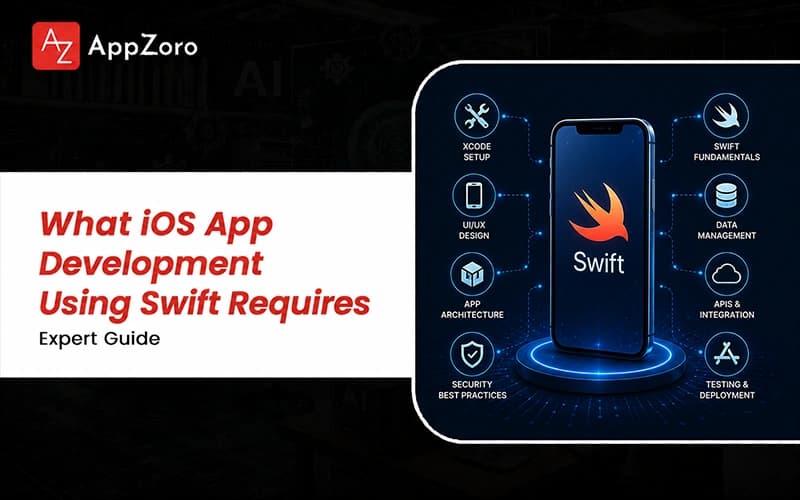
Quick Answer: iOS app development using Swift means building native Apple apps where the logic, interface and data live in one strongly typed codebase. To ensure high-quality execution, many businesses partner with a specialized mobile app development company USA to leverage Swift 6 with compiler-enforced concurrency and SwiftUI for modern screens. Budgets usually open near $35,000 for a focused build and can pass $250,000 once custom native work and mandatory iOS 26 SDK integration are fully involved.
Picture a small iOS team a week from launch, watching a crash dashboard light up with a bug that only appears on a real device. They had shipped the same code for months without trouble, yet once traffic grew, a hidden data race started corrupting the state that their tests never caught. That single afternoon of panic, repeated across countless teams, is the real reason iOS app development using Swift had to grow up so fast.
How Apple apps get built has shifted more between 2024 and 2026 than in the years before, yet many teams still scope the older version of native iOS development. Swift turned far stricter about safety, SwiftUI matured into something you can trust in production and Apple renamed the platform from the expected iOS 19 straight to iOS 26.
What follows reads less like a vendor timeline and more like a coffee with a senior iOS developer. By the end you will know what the work really demands, where shortcuts break under real users and how the strongest Swift teams keep shipping clean.
What iOS App Development Using Swift Looks Like in 2026
If you have searched for what iOS app development using Swift really involves, you have probably bounced between "just learn SwiftUI" and "you need a decade of UIKit." The honest picture is a field mid shift, where apps get written in Swift 6, interfaces lean on SwiftUI and Apple ships a fresh platform yearly.
What changed for iOS app development using Swift across 2024 and 2025 was less about syntax than the rules underneath, since Swift 6 made data race safety mandatory. A few things now define this work in 2026, once you set aside the conference stage optimism:
Swift 6 checks your code for data races as it compiles, so a whole category of nasty production crashes never reaches a real user.
SwiftUI carries most new interface work, while UIKit stays around for the screens and transitions where it still clearly outperforms the newer approach.
Xcode 26 and the mandatory iOS 26 SDK adopt Liquid Glass automatically and tuck an AI coding assistant right inside the editor your team opens daily.
A Quick, Honest Definition of the Work
At its core, iOS app development using Swift is writing native Apple software where the logic, interface and data all share one strongly typed home. You build straight against Apple's frameworks rather than a wrapper, a core principle often highlighted in a custom mobile app development guide to explain why teams trade extra development time for real performance and depth. Teams that accept that trade on purpose, instead of drifting into it later, tend to budget sensibly for the work ahead.
Why Swift 6 Changed the Ground Rules
Swift 6 took data race safety and turned it from a suggestion into something the compiler now refuses to ignore. Races that once appeared as rare and maddening crashes in the wild now show up as plain build errors you fix early. Swift 6.2 softened the experience with approachable concurrency, defaulting most interface code to the main actor so nobody drowns in annotations.
What iOS 26 and Liquid Glass Mean for You
Apple jumped from the expected iOS 19 to iOS 26 at WWDC 2025, lining every platform behind one calendar-based number released each autumn. Once you rebuild with Xcode 26 against that SDK, your SwiftUI controls adopt the new Liquid Glass look automatically. The catch is that older custom UIKit components never get that refresh, which is why some established apps suddenly look dated.
How to Develop iOS Apps Using Swift Without Burning the Runway
If you want to work out how to develop iOS apps using Swift without losing a quarter to rework, the order of decisions matters more than the framework argument. The teams that ship cleanly settle their architecture, concurrency and testing inside the first two weeks, before the deadline applies real pressure.
A realistic build moves through five rough phases across three to seven months, following a structured mobile app development process to ensure architecture, concurrency, and testing are settled early. Anyone serious about how to develop an iOS app using Swift soon finds these are the pieces a starter project rarely mentions, yet a real product always leans on them to ensure the codebase remains maintainable as the feature list expands:
A clear architecture, often MVVM with Swift's observable models, so views stay light and the real logic stays simple enough to test on its own.
A concurrency plan built around async, await and actors, settled early so Swift 6 strict checking helps the design rather than ambushing it later.
A testing and release pipeline using Swift Testing, TestFlight and Xcode Cloud, so regressions get caught internally before any reviewer or paying customer notices.
Get the Architecture Right Before the First Screen
Working out how to develop iOS app using Swift in a way that lasts almost always starts with structure rather than screens. Most experienced teams reach for some version of MVVM with observable models, keeping the views thin while the logic stays easy to test. It is an unglamorous call that never improves a demo, yet it is what lets a Swift codebase grow for years without buckling.
Decide Your Concurrency Story Early
Concurrency is the part teams love to defer and also the part that punishes them hardest when Swift 6 checking arrives near the deadline. Choosing your actors and Sendable boundaries while the codebase is small lets the compiler guide the design instead of forcing a sprawling cleanup. Pairing that early discipline with Swift Testing keeps your safety net growing screen by screen, not appearing as a panicked afterthought.
The Stage Most Founders Underestimate
App Store review catches founders off guard because a finished build can still sit rejected for days over vague permission prompts or privacy manifest gaps. Preparing for these common mobile app development challenges, such as stricter data handling disclosures and tracking inspections, is essential to prevent a done launch from stalling. Building a real TestFlight and review buffer into the plan turns that risk into a calm, predictable step for the entire product team.
SwiftUI vs UIKit: The Decision That Shapes Everything Else
One choice shapes almost everything else in Swift app development, and that is whether you build the interface in SwiftUI or in UIKit. This is a critical decision when evaluating different mobile app development frameworks, as SwiftUI has matured into a default for new screens while UIKit retains a specialist role for precise transitions and legacy integrations where it still clearly outperforms the newer declarative approach:
Feature | SwiftUI | UIKit |
Best fit in 2026 | New apps, standard screens, multi-device reach | Highly custom UI, precise transitions, legacy code |
Development speed | Roughly 30–50% faster for typical screens | Slower, with more boilerplate per screen |
Maturity | Seven years in, production-ready, improving yearly | Proven across a decade, very deeply documented |
Liquid Glass in iOS 26 | Adopted automatically on recompile | Manual work to match the new look |
Hiring pool | Growing fast, clearly the direction of travel | Large but increasingly maintenance-focused |
Learning curve | Gentle start, a few tricky edge cases | Steep, yet predictable once it is learned |
For most fresh builds in iOS app development using Swift, SwiftUI is the sensible place to start, yet UIKit keeps earning its keep on precise transitions and the occasional UIKit only SDK. The honest answer is rarely all or nothing, since most shipping apps quietly blend the two inside a single project.
When SwiftUI Is the Obvious Default
For most new apps in 2026, SwiftUI is simply the right place to start, because it cuts the time standard screens take and spans Apple's devices from shared code. It also inherits the Liquid Glass redesign for free the moment you build against the iOS 26 SDK, sparing your team a manual restyle. Picking it on purpose lets even a small team move at a pace UIKit struggles to match on the same screens.
When UIKit Still Earns Its Keep
UIKit holds its ground whenever you need precise transitions, customized layouts or an SDK that never shipped a SwiftUI version. Teams with years of UIKit muscle memory also move faster in it on the awkward screens than they would while fighting SwiftUI's edges. None of this argues for one framework over the other, since the strongest production apps almost always mix both.
iOS App Development Firms Using Swift Best Practices: What Senior Teams Get Right
The best iOS app development firms using Swift best practices share a handful of quiet habits that compound across releases, rather than anything that photographs well in a pitch.
Mature iOS app development using Swift treats concurrency and testing as decisions to settle early, instead of features to bolt on once the deadline looms. To achieve this, it is vital to hire the best mobile app developer with a deep understanding of Swift 6 strict concurrency, ensuring the data race migration happens calmly on your schedule rather than in a frantic, high-pressure week before launch.
Here is what those senior Swift teams reliably get right once a project moves past the prototype stage and into real production:
They move onto Swift 6 strict concurrency early, so the data race migration happens calmly on their schedule rather than in a frantic week before launch.
They budget for maintenance with a straight face, planning around Apple's yearly platform cadence instead of acting surprised each time a new iOS lands.
They design with on device intelligence in mind, building on Apple's Foundation Models so smart features stay private and keep working without a network connection.
Why They Migrate to Swift 6 Early
Moving on to strict concurrency early is far less painful than dragging a mature codebase across that line under deadline pressure. By settling actor boundaries and Sendable types while the project is young, they let the compiler enforce safety as a daily habit. That single decision turns the whole industry-wide concurrency shift from a looming crisis into a problem they solved months earlier.
How They Handle On-Device Intelligence
On-device intelligence stopped being a nice extra once Apple opened its Foundation Models, letting teams explore how to use AI in mobile app development to run language features without shipping data to a server. People now expect summaries and natural search to work quickly while still respecting their privacy; teams that plan for this early ship features competitors struggle to retrofit later because the architecture was already pointed the right way.
If you have a Swift proposal or an iOS 26 migration plan on your desk, our senior team is glad to give it a straight, no-pressure second opinion on architecture and concurrency. We review proposals for iOS app development using Swift most weeks and would rather flag the expensive gaps now than watch you hit them mid-build.
Final Thoughts
iOS app development using Swift asks more of a team in 2026 than it did three years ago, yet the path through it is far easier to read once you know the terrain. The language enforces safety now, the design language moved on and the platform runs on a yearly clock, so the places projects tend to fail are predictable rather than mysterious.
The teams that come out ahead at iOS app development using Swift are not the ones chasing every shiny new API the week it lands on a WWDC stage. They commit to strict concurrency early, choose SwiftUI on purpose, keep UIKit where it helps and budget for the upkeep every serious Apple app needs.
If the proposals on your desk feel impossible to compare fairly, find someone who has shipped Swift apps through real App Store reviews and ask where the scope looks thin. A good partner walks you through native Swift development, SwiftUI and review without flinching, because they have lived through enough launches to know where the work bites.
Leave a Comment