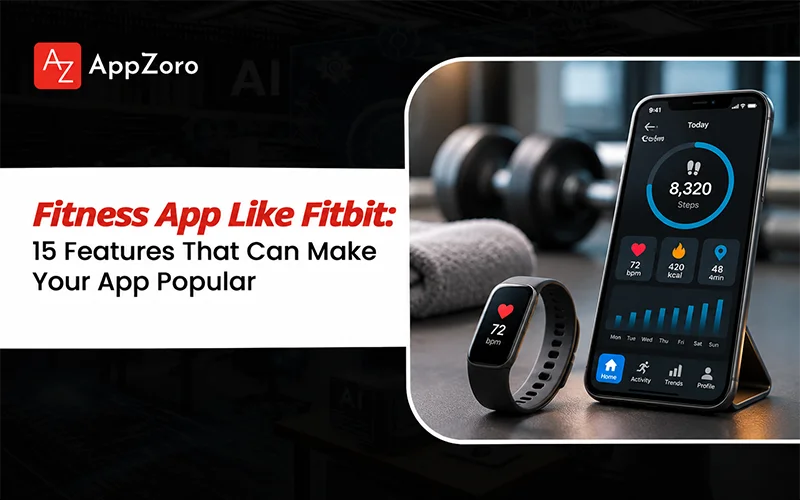
Fitness App Like Fitbit: 15 Features That Can Make Your App Popular

Someone buys a fitness tracker on Monday, watches their step count climb for a few days, and checks the app less often by the end of the month. The device still works. The problem is that the numbers have stopped telling them what to do next.
That is an important product challenge for anyone planning a fitness app like Fitbit. Recording steps, calories or heart rate is useful, but tracking alone does not give users a reason to keep opening an app. They also need to understand their progress, set realistic goals and connect the data to activities they care about.
For a business, that means the feature list deserves more thought than simply copying the dashboard of an established fitness brand. The product must serve a specific audience, work reliably with its chosen devices and turn collected data into something useful.
This guide examines 15 fitness app features worth considering, explains which ones belong in an early release, and covers the technology, development priorities and risks that influence a successful build.
What Makes a Fitness App Like Fitbit Different?
A fitness tracking app records activity and presents it in a way users can understand. A broader fitness platform may combine that tracking with workouts, health-data integrations, personalized goals, nutrition tools and social challenges.
Fitbit is a useful reference because it illustrates how activity data can sit alongside goals, trends and connected-device experiences. However, building a fitness app like Fitbit does not require reproducing every feature of an established product. The right scope depends on the users, devices and business model you intend to support.
| App Type | Main Purpose | Features to Prioritize |
| Activity tracker | Record everyday movement | Steps, distance, active minutes and daily goals |
| Workout app | Help users plan and complete exercise sessions | Workout library, timers, training logs and progress |
| Wearable companion | Connect device readings with useful insights | Device pairing, data synchronization and dashboards |
| Social fitness app | Encourage participation and accountability | Challenges, leaderboards, groups and sharing |
| Connected fitness platform | Combine multiple fitness activities and data sources | Tracking, integrations, personalization and reporting |
These categories can overlap. The important decision is which user problem your first release will solve best. For a broader view of product planning, see AppZoro’s guide to developing a fitness app.
15 Fitness App Features That Can Make a Fitness App Popular
The most valuable fitness application features are the ones that help users complete an activity, understand their results or return for another session. The following 15 features cover the core tracking experience and the capabilities that can extend it.
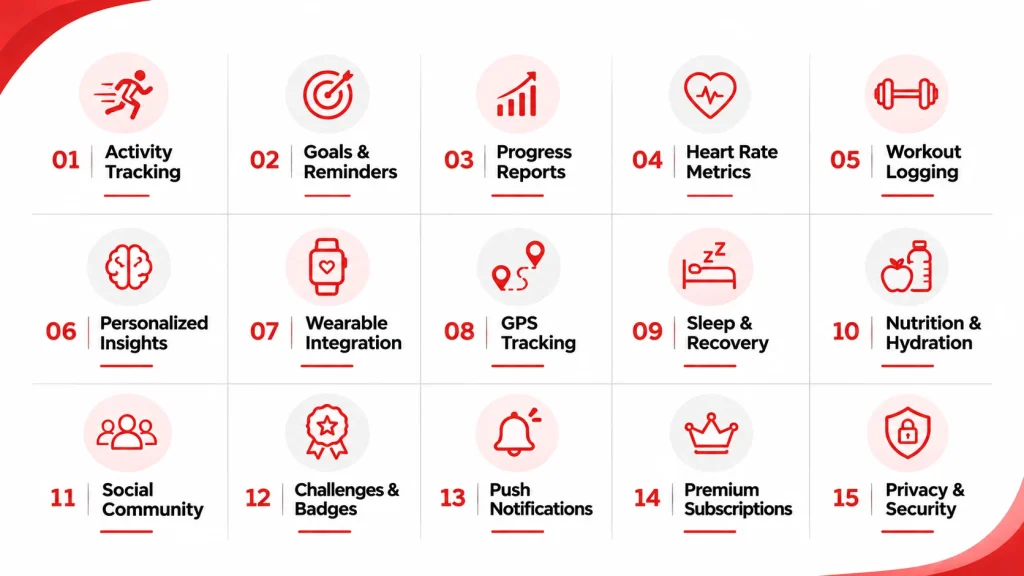
1. Activity and Step Tracking
Activity tracking is a natural starting point for a fitness app. Users should be able to see steps, distance, active minutes and other supported activity measurements without navigating through several screens.
Depending on the device and platform, the app can collect activity data from phone sensors, a connected wearable or a supported health-data service.
Product considerations:
- Display daily activity in a clear, readable dashboard.
- Explain how measurements are collected and when estimates are used.
- Handle missing data and synchronization delays without showing misleading totals.
- Avoid counting the same activity twice when data arrives from multiple sources.
Reliable tracking matters more than an impressive dashboard built around inconsistent numbers.
2. Goal Setting and Reminders
Goals give activity data a purpose. Users might aim for a daily step target, a certain number of workouts per week or a gradual increase in active minutes.
Allow users to choose or adjust their targets rather than forcing everyone into the same routine. Reminders can encourage them to move or complete a planned session, but excessive notifications can become a reason to disable the app.
Product considerations: Include editable goals, reminder preferences, progress indicators and sensible notification frequency.
3. Progress Tracking and Historical Reports
A daily total shows what happened today. Historical reports help users understand whether their habits are changing over time.
Useful fitness app features include weekly activity summaries, workout history, personal records and comparisons against a user’s own previous performance. Charts should make changes easy to understand without implying that every fluctuation signals a meaningful improvement or decline.
For example, a runner may care about distance and pace trends, while someone focused on general activity may prefer weekly steps and active minutes.
Product considerations: Let users choose relevant metrics, filter reports by date and distinguish recorded values from estimates.
4. Heart Rate and Other Supported Health Metrics
For compatible devices, heart-rate readings can provide additional context about activity and recovery. Depending on the hardware, platform and permissions, a fitness app may also display sleep measurements, oxygen saturation or other supported readings.
Not every device measures every metric, and readings can vary in quality. The app should identify its data sources and explain limitations rather than presenting consumer-device estimates as medical measurements.
Product considerations: Request access only to the data the product needs, show when readings were recorded and avoid unsupported diagnostic claims.
5. Workout Logging and Exercise Library
A workout log lets users record strength sessions, cardio workouts, duration, sets, repetitions or other activity-specific details. An exercise library can provide instructions and demonstrations for people who need guidance.
A general-purpose tracker does not necessarily need a large library of exercises. A training-focused product, on the other hand, may depend on searchable movements, workout templates and the ability to review previous sessions.
Product considerations: Make logging quick, support relevant workout types and keep exercise instructions accessible during a session.
6. Personalized Fitness Insights
Raw measurements become more useful when the app helps users interpret them. Personalized insights might highlight a change in weekly activity, identify a missed goal or suggest a realistic next step based on recorded behavior.
These recommendations can begin with straightforward rules. More advanced products may use machine learning when they have suitable data, a defined use case and a way to evaluate recommendation quality.
Product considerations: Explain why a recommendation appears, let users control preferences and avoid presenting uncertain predictions as facts.
Personalization is only useful when it improves the experience. A recommendation that ignores a user’s schedule, ability or stated goals can be less helpful than a simple reminder.
7. Wearable and Health Platform Integration
Wearable integration allows an app to work with supported watches, fitness bands and health platforms instead of relying entirely on manual input.
Depending on the target devices, integrations may involve Apple HealthKit, Android’s Health Connect, Fitbit APIs or other vendor-supported interfaces. Availability, permissions, data types and background synchronization behavior differ across platforms.
Product considerations:
- Identify the devices and data types the app must support.
- Design clear connection, permission and disconnection flows.
- Handle expired permissions, offline devices and delayed data.
- Test how the app resolves overlapping records from multiple sources.
Read AppZoro’s wearable app development guide for more on connected devices, integrations and implementation trade-offs.
8. GPS and Outdoor Activity Tracking
GPS-based tracking suits running, cycling, walking and other location-based activities. Users may want route maps, distance, pace, duration and a record of previous sessions.
Location features also introduce practical considerations. GPS accuracy changes with the environment, continuous location collection can affect battery life, and route histories may reveal sensitive information about a person’s routines.
Product considerations: Explain location permissions, provide clear tracking controls and collect location only when the feature requires it.
9. Sleep and Recovery Tracking
Sleep tracking can give users another way to review their routines alongside activity data. Where supported, the app may display sleep duration, sleep patterns or recovery-related indicators from a compatible device.
These measurements should be presented with appropriate context. Consumer wearables estimate sleep using device sensors and algorithms, and the results are not equivalent to a clinical sleep assessment.
Product considerations: Show trends rather than overinterpreting individual nights, identify the source of the readings and avoid medical conclusions the product cannot support.
10. Nutrition and Hydration Logging
Some fitness products benefit from including meal records, water intake and basic nutrition goals. These features can help users review food and activity together, but they introduce additional data and usability requirements.
Manual logging, portion estimates and food-database coverage can affect accuracy. A nutrition feature also needs to account for dietary preferences and relevant restrictions without making unsupported health promises.
Product considerations: Start with the logging and reporting functions your audience needs. Add meal planning or more advanced personalization only when the product can support the data quality and review required.
For broader product considerations, see AppZoro’s wellness app development guide.
11. Social Sharing and Community Features
Social features allow users to share achievements, join groups or participate in activities with friends. Depending on the product, this might mean sharing a completed run, joining a walking group or comparing progress within a team.
Community features can encourage participation, but not every user wants public performance comparisons. Privacy settings should make it clear what is shared and with whom.
Product considerations: Offer control over visibility, support reporting and moderation where users interact, and avoid making sensitive health data public by default.
12. Challenges, Badges and Leaderboards
Gamification introduces milestones, streaks, badges, points or friendly competitions into the fitness experience. A workplace walking challenge and a personal consistency streak, for example, can give users different ways to stay engaged.
The design should reward meaningful participation instead of encouraging unhealthy competition or activity beyond a user’s abilities.
Product considerations: Make challenges optional, define fair scoring rules and let users participate without exposing private measurements.
13. Push Notifications and Habit Support
Notifications can remind users about a scheduled workout, a chosen activity goal or a completed milestone. Their value depends on timing and relevance.
A reminder that matches a user’s selected schedule is more useful than a generic message sent repeatedly throughout the day.
Product considerations: Provide notification controls, respect quiet hours where appropriate and measure whether reminders support meaningful engagement rather than simply generating opens.
14. Subscription and Premium Features
A fitness app may earn revenue through subscriptions, paid workout plans, premium reports, coaching or other services. The right model depends on what the product offers beyond basic tracking.
For example, a free version might provide daily activity and basic history, while a paid tier adds advanced reports, guided programs or additional integrations. The feature boundary should be understandable before a user pays.
Product considerations: Explain pricing and renewal terms, provide a straightforward way to manage subscriptions, and check the applicable app-store payment rules before implementation.
15. Data Privacy, Security and User Controls
Privacy is not a decorative feature for a fitness product. Activity history, location, heart-rate readings, sleep information and progress photos can reveal personal details about users.
The app should collect only the data needed for its stated functions and give users meaningful control over permissions and account information.
Product considerations:
- Use appropriate authentication, encryption and access controls.
- Explain what data is collected, why it is collected and how it is shared.
- Provide ways to revoke permissions and request account or data deletion where applicable.
- Set retention rules and review third-party SDKs and integrations.
- Assess applicable privacy requirements based on the product, its users and operating regions.
Legal obligations differ by jurisdiction and product design. A privacy notice alone does not establish compliance, so security and legal review should be part of development planning.
Which Fitness App Features Should You Build First?
A common mistake in fitness app development is trying to include every feature in the first release. Each additional integration or workflow brings design, implementation, testing and ongoing maintenance requirements.
A more practical approach is to group features by the stage at which they become useful.
| Development Stage | Features to Consider | Main Objective |
| MVP | Onboarding, activity tracking, goals, basic progress reports | Validate the core tracking experience |
| Next release | Reminders, workout logging, selected wearable integration | Improve consistency and convenience |
| Expansion | Personalized insights, social challenges, nutrition tracking | Support additional user needs |
| Advanced platform | Broader device support, premium analytics, advanced coaching or personalization | Differentiate the product where demand exists |
This is a planning framework, not a fixed roadmap. A wearable companion may need device integration in its MVP, while a simple step tracker may not need it at all.
Define a measurable outcome for the first release, such as completed activity logs per week or the percentage of users who return after their first week. Expand the feature set when user behavior provides a reason to do so.
What Technology Is Needed for Fitness App Development?
The technology stack depends on whether the product mainly records activity, connects to wearables, delivers workouts or processes data from multiple sources.
| Layer | Common Options | What to Consider |
| Mobile application | React Native, Flutter, Swift, Kotlin | Platform coverage, device access and performance |
| Backend and APIs | Node.js, Python or managed backend services | User accounts, activity records and business logic |
| Database | PostgreSQL or a suitable document database | Data relationships, reporting and synchronization |
| Health integrations | HealthKit, Health Connect and supported vendor APIs | Permissions, device compatibility and data availability |
| GPS and sensors | Platform location and motion APIs | Accuracy, battery use and background restrictions |
| Analytics | Product analytics and crash monitoring | Feature adoption, reliability and retention |
| Security | Authentication, encryption and access controls | Protection of accounts and sensitive information |
Cross-platform development can reduce duplicated work when the app needs to support both iOS and Android. Native development may be appropriate when the product relies heavily on platform-specific sensors, background processing or specialized device capabilities.
The choice should follow the product requirements rather than a blanket assumption that one framework is always better.
What Affects the Cost of Developing a Fitness App?
The cost of developing a fitness app depends on its scope, platform requirements, integrations and operational needs. A simple activity tracker has different requirements from a connected platform that combines GPS, wearable data, coaching, community features and premium subscriptions.
AppZoro’s fitness app development cost guide provides broader cost ranges and explains the factors that affect a build. For a feature-led product, the main considerations include:
| Cost Factor | What Changes the Scope |
| Feature complexity | Basic activity tracking versus advanced reports or personalized recommendations |
| Platform coverage | One platform, both mobile platforms or a supporting web dashboard |
| Wearable integrations | Number of devices, APIs, data types and synchronization requirements |
| GPS and sensor use | Background tracking, battery optimization and device testing |
| Backend and analytics | Data volume, reporting, infrastructure and account management |
| Community and subscriptions | Messaging, moderation, billing and payment workflows |
| Security and testing | Permission handling, access controls, quality assurance and privacy review |
| Ongoing operations | Hosting, API charges, maintenance, support and future compatibility updates |
A reliable estimate should separate initial development from post-launch operating costs. Wearable APIs, cloud infrastructure, third-party services and maintenance can continue to incur costs after the app has launched.
Rather than pricing a feature list in isolation, define the first release, document the integrations it needs and request estimates based on the same assumptions.
Common Mistakes When Building a Fitness App
Building too many features at once
A large feature list can delay validation of the core experience. Start with the features that solve the primary user problem and expand based on evidence.
Treating wearable data as automatically accurate
Different devices and data sources can report different values. Test synchronization, handle missing readings and communicate limitations clearly.
Ignoring the experience between workouts
Users need to understand their progress, manage goals and control reminders even when they are not exercising. A good tracking interface should make these tasks straightforward.
Adding AI without a clear purpose
AI-based coaching or personalization needs a defined use case and a way to evaluate output quality. Rules-based recommendations may be sufficient for an early release.
Underestimating privacy and maintenance
Permissions, security, API changes and operating-system updates require continued attention. Include these responsibilities in the project plan rather than treating launch as the end of development.
Copying Fitbit without defining a differentiator
Established products serve broad audiences and have their own device ecosystems. A new app may be better served by focusing on a specific group, activity, coaching method or business need.
Conclusion
The fitness app features that matter most are the ones that help users track activity, understand progress and maintain routines. Step counting, goal setting and clear reports provide a foundation. Wearable integrations, personalization, community challenges and nutrition tools can add value when they support the product’s purpose.
You do not need all 15 features in the first release. Start with a defined audience, select the smallest useful feature set, test it with real users and use the results to guide the next stage of development.
If you are planning a fitness tracking product or a broader connected fitness platform, AppZoro’s fitness app development services cover product development involving workout experiences, nutrition tracking, wearable synchronization and related capabilities. For products that extend into wider wellbeing features, explore its wellness app development services.
Frequently Asked Questions
What features should a fitness app like Fitbit have?
A fitness app like Fitbit can include activity tracking, step counts, goal setting, progress reports, workout logs, supported health metrics, wearable synchronization and reminders. Social features, nutrition tracking and personalized insights can be added when they match the target audience.
What are the most important fitness app features for an MVP?
Start with onboarding, reliable activity tracking, goal setting and basic progress reports. Add wearable integration or workout logging earlier if those functions are essential to the product's main purpose.
How do fitness app features improve user engagement?
Useful tracking, understandable progress reports, relevant reminders and achievable goals give users reasons to return. Challenges and personalized recommendations may also help, but their impact should be measured rather than assumed.
How does wearable integration work in a fitness app?
A fitness app can connect to compatible devices or health platforms through supported APIs and permission-based data access. The implementation must account for device compatibility, synchronization, missing readings and data-source differences.
How much does it cost to develop a fitness app?
Costs vary with the features, platforms, integrations and operational requirements. A basic tracker generally requires less work than a multi-platform product with wearable synchronization, advanced analytics and community features. See AppZoro's fitness app development cost guide for broader estimates.
Which technology is best for fitness app development?
React Native or Flutter may suit products that need shared development across iOS and Android. Swift or Kotlin may be appropriate for platform-specific requirements. The choice depends on sensor access, performance, integrations and the intended user experience.
Can a fitness app integrate with Fitbit and other wearables?
Potentially, yes, where the relevant device or platform provides a supported integration path and the required permissions are available. Compatibility and access to specific data types should be verified during planning.
How can a fitness app make money?
Common models include subscriptions, premium analytics, paid workout programs, coaching services and partnerships. The best model depends on the audience and the value users receive beyond basic tracking.
 Profile of Sam Agarwal